
Live availability
What the latest reading says
See available spaces, total capacity, percentage full, whether the car park is practically full and when the reading was updated. It may lag behind the car park.
Transparent by design
Live spaces, past patterns, future planning and Today’s Guidance answer different questions. This page explains what each one means and where uncertainty remains.
Where the data comes from
Transport for NSW publishes live occupancy data for supported Park & Ride car parks. ParkRide Planner checks that public data, keeps selected past readings and briefly stores the latest result for the mobile apps and Apple Watch.
The apps do not make a separate Transport for NSW request every time someone opens a screen. This avoids unnecessary requests and makes results more reliable.
View the Transport for NSW real-time car park occupancy information.
Four different answers
Live availability
See available spaces, total capacity, percentage full, whether the car park is practically full and when the reading was updated. It may lag behind the car park.
Typical fill time
Recent history for the same weekday shows when a car park usually became practically full. It is the usual pattern, not today's forecast.
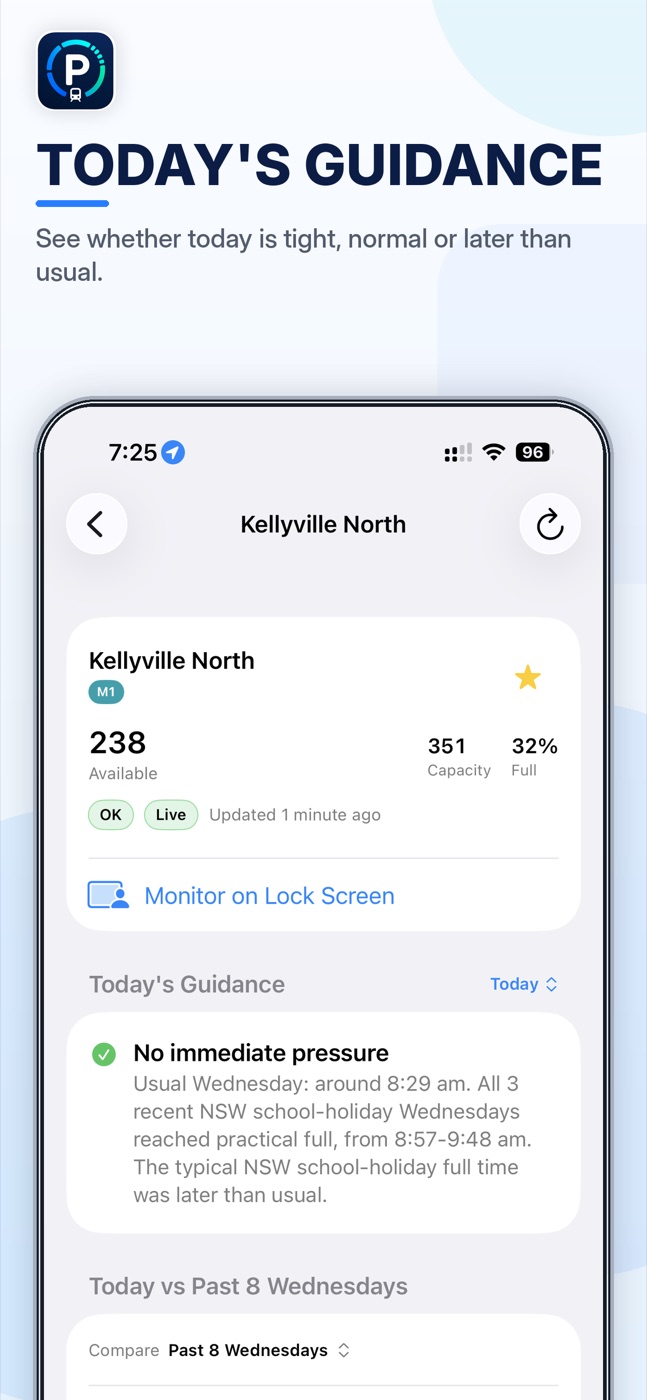
Today’s Guidance
The app checks whether similar days filled, how many spaces remain and how quickly today's count is changing. It then shows whether today looks tighter, normal or quieter than usual.
Future planning
Choose a future date and arrival time to see what happened on matching past days. The app does not pretend to have live data from the future.
History windows
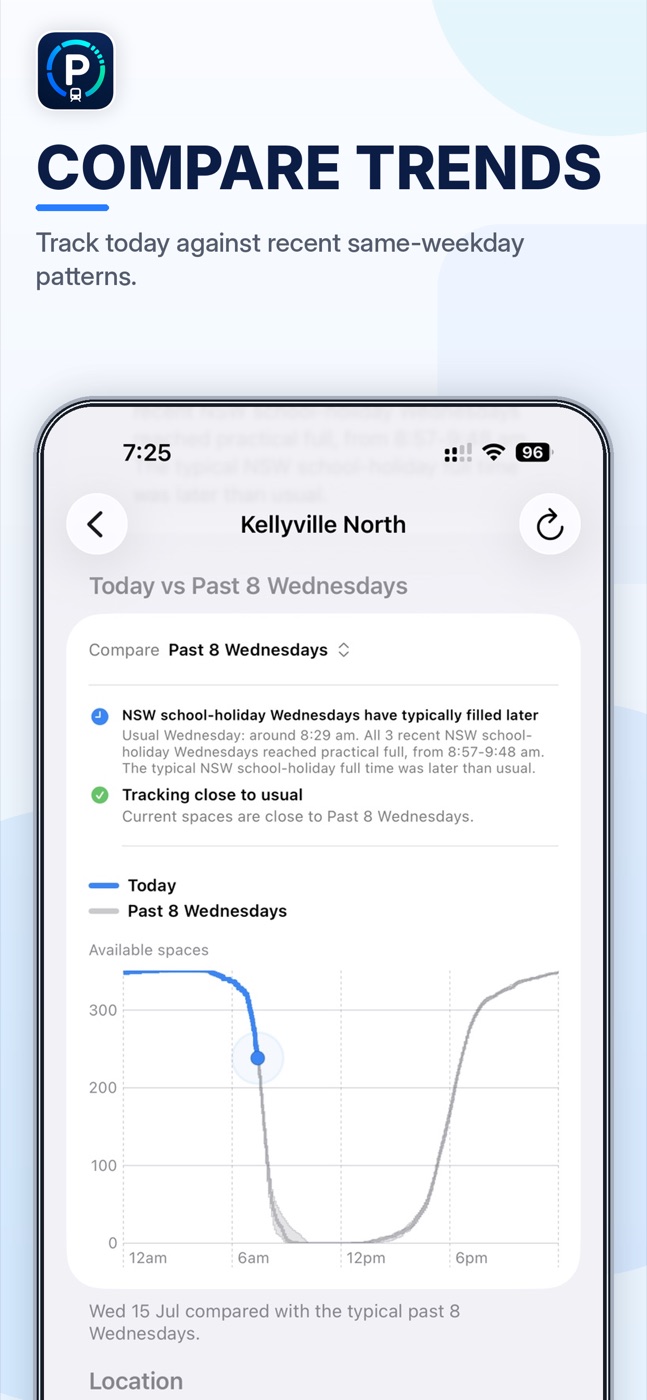
ParkRide Planner's default forecast uses the median of the past 12 matching weekdays, excluding NSW public and school holidays. This is the main pattern used by Today's Guidance, commute updates, Live Activities, Siri arrival guidance and leave-time calculations.
The app keeps other comparisons available for different questions:
Changing the chart view does not change the main guidance behind the scenes. The comparison you choose and the pattern used for today's advice remain separate.
Plan a date
Choose a future date and arrival time to see whether similar recent weekdays still had space at that time. The chart shows past results for that weekday; it does not invent a live reading or forecast.
Use it to plan tomorrow or later in the week, then check live spaces on the day.
Relevant days only
School holidays can change commuter parking. When there are enough recent examples for that car park and weekday, ParkRide Planner shows what happened and whether spaces remained at your planned arrival time.
A small sample is described as limited. The app does not turn a few holiday mornings into a confident exact-time forecast.
Why “practically full”
A car park can report a few spaces while being too tight to rely on. ParkRide Planner therefore shows the reported count and whether the car park is practically full.
This avoids treating “three spaces left” as though those spaces will still be there after you drive to the station.
Travel time
If you choose to use location, the app can ask Apple Maps to sort nearby car parks and estimate your travel time. Your location, saved place and route are not sent to the ParkRide Planner service.
The travel time helps you judge whether a car park with spaces now is still likely to have room when you arrive.
No black box
Parking guidance is calculated from parking data, recent patterns, time and optional travel details kept on your device. It does not depend on a chatbot or large language model.
The same calculation is used in the app, Siri, widgets and Apple Watch.
The honest limit
Parking changes quickly, public data can be delayed and spaces may disappear while you drive. ParkRide Planner helps you make a better choice; it cannot confirm what will happen.
That is why the app shows when data was updated, uses ranges where appropriate and says “usually”, “expected” and “aim to arrive by” instead of promising certainty.
Before you leave
Free to download. No account. No ads.